

For techs, vendors and movers
Get Steady Moving Jobs on Your Phone
Movers hire Alliance for specialist moving jobs: crating, TV packing, washer hookups and furniture disassembly or reassembly. We send origin and destination jobs to independent pros across the US and Canada, and pros pick the jobs they want.
Already an Alliance vendor? Vendor portal login
Jobs come from movers like



Two paths to work with Alliance
Bring a crew, work solo as a technician, or book crating and packing for the families you're moving. Vendors and techs choose their own jobs.


Hands-on work with a clear scope.
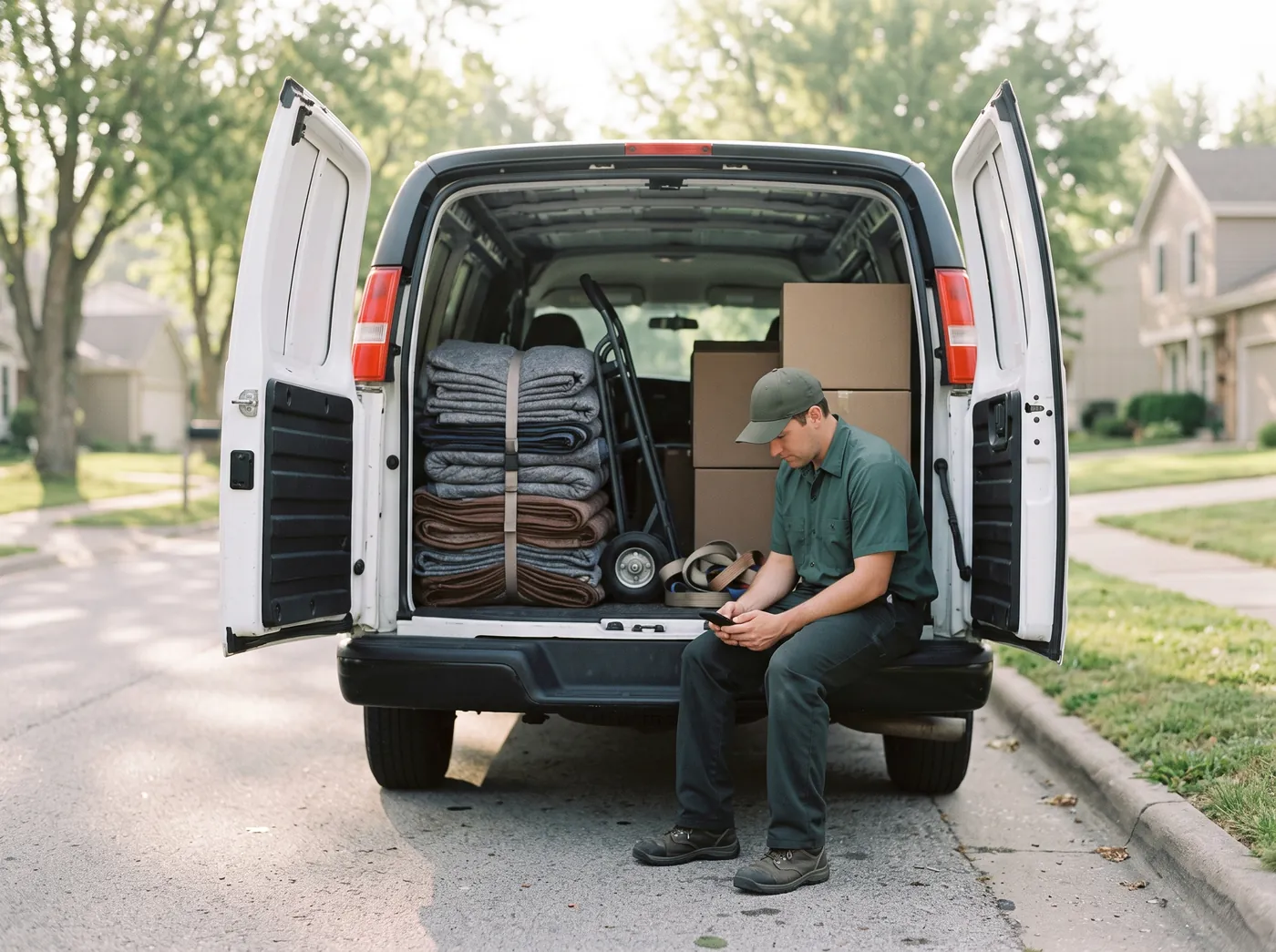
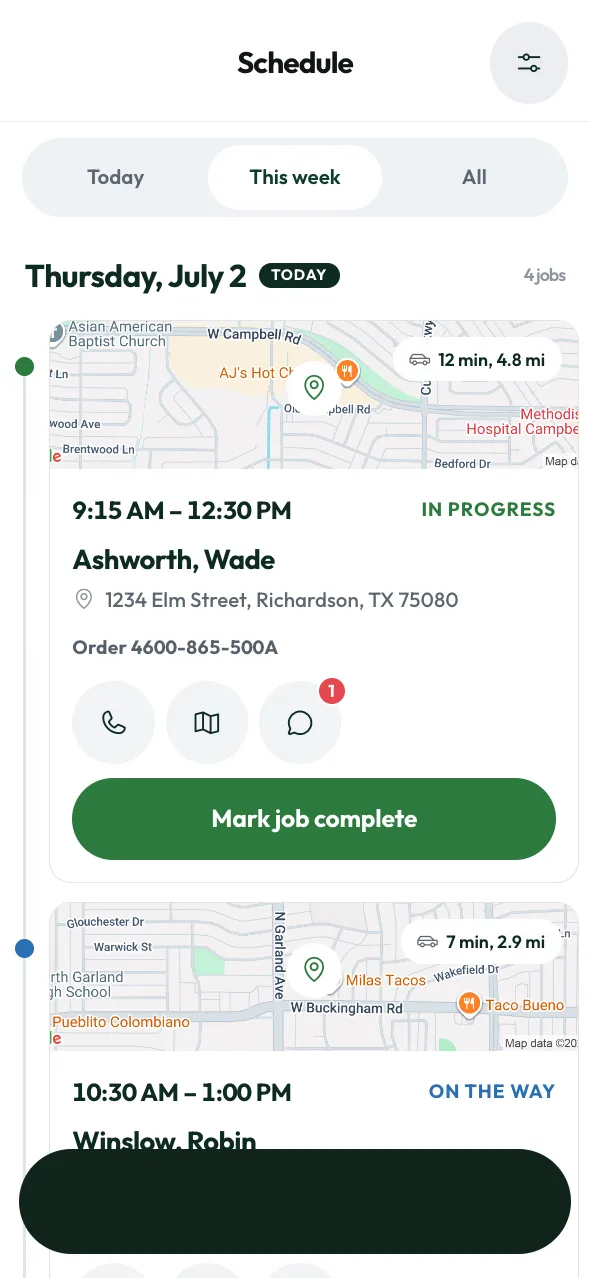
Every order spells out the services, the address and the time window. Origin work happens at the old home before the move day. Destination work happens at the new home after. You arrive, finish the job and get the customer's signature.
- Build and open crates
Techs crate art, glass, marble and mirrors at origin, then uncrate and unpack them at destination.
- Packing TVs and electronics
Techs wrap flat screens in foam, box them for the truck at origin, then unbox and set up at destination.
- Appliance disconnect
Techs disconnect washers, dryers and ice makers at origin, then reconnect and check for leaks.
- Furniture disassembly
Techs take apart beds, cribs, desks and gym gear at origin, bag hardware, then rebuild at destination.
- Unpacking and organizing
Techs unpack boxes, put the kitchen away, make the beds and haul off the paper at destination.
- Specialty pieces
Techs move pianos, pool tables and grandfather clocks and log a condition report for each piece.
From sign-up to your first job.
Apply
Tell us who you are, where you work and what services you offer. The form takes about five minutes.
Get approved
Send proof of insurance and pass a background check. Every Alliance vendor and tech completes both steps.
Pick your orders
Each order lists the date, address and rate for each service. Accept, decline or counter.
Finish and invoice
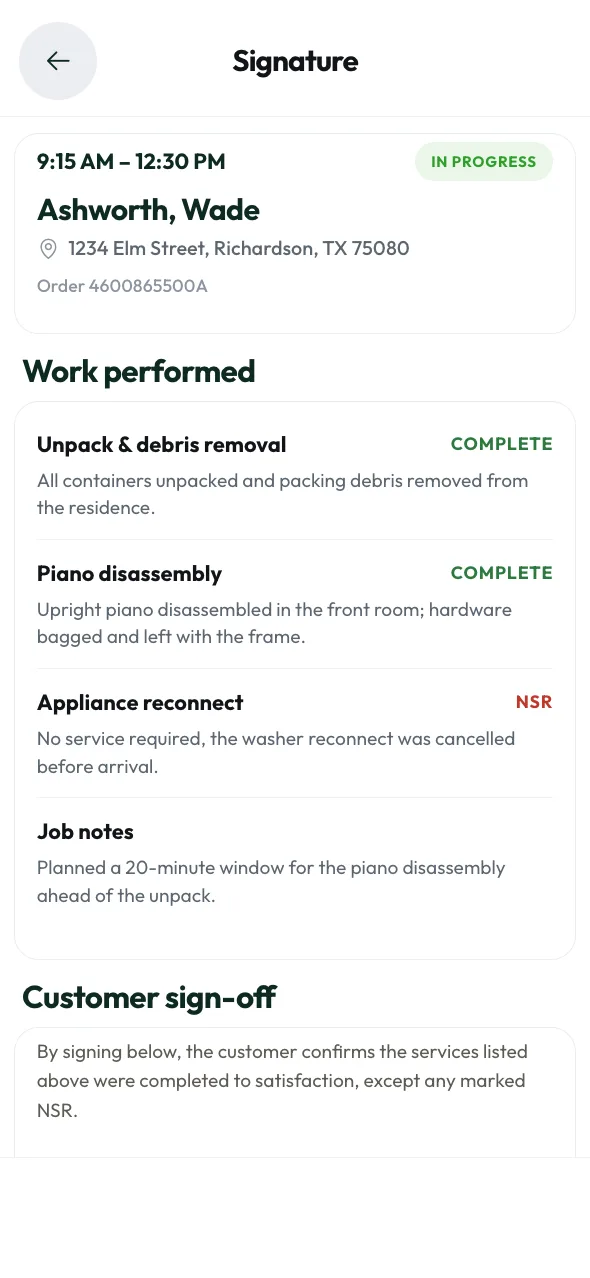
Mark each service done in the app, get the customer's signature on screen, then upload your invoice.

What Alliance offers you.
- Jobs without chasing
Movers we already serve send orders, with no cold calls or ad spend.
- Rates up front
Every service shows its rate before you agree. Counter any line.
- One dispatch team
Job questions reach Alliance dispatch by phone, text or in-app message.
- Paperwork on each order
Purchase orders, photos, signatures and invoices stay on the job.
Manage vendor jobs in one place.
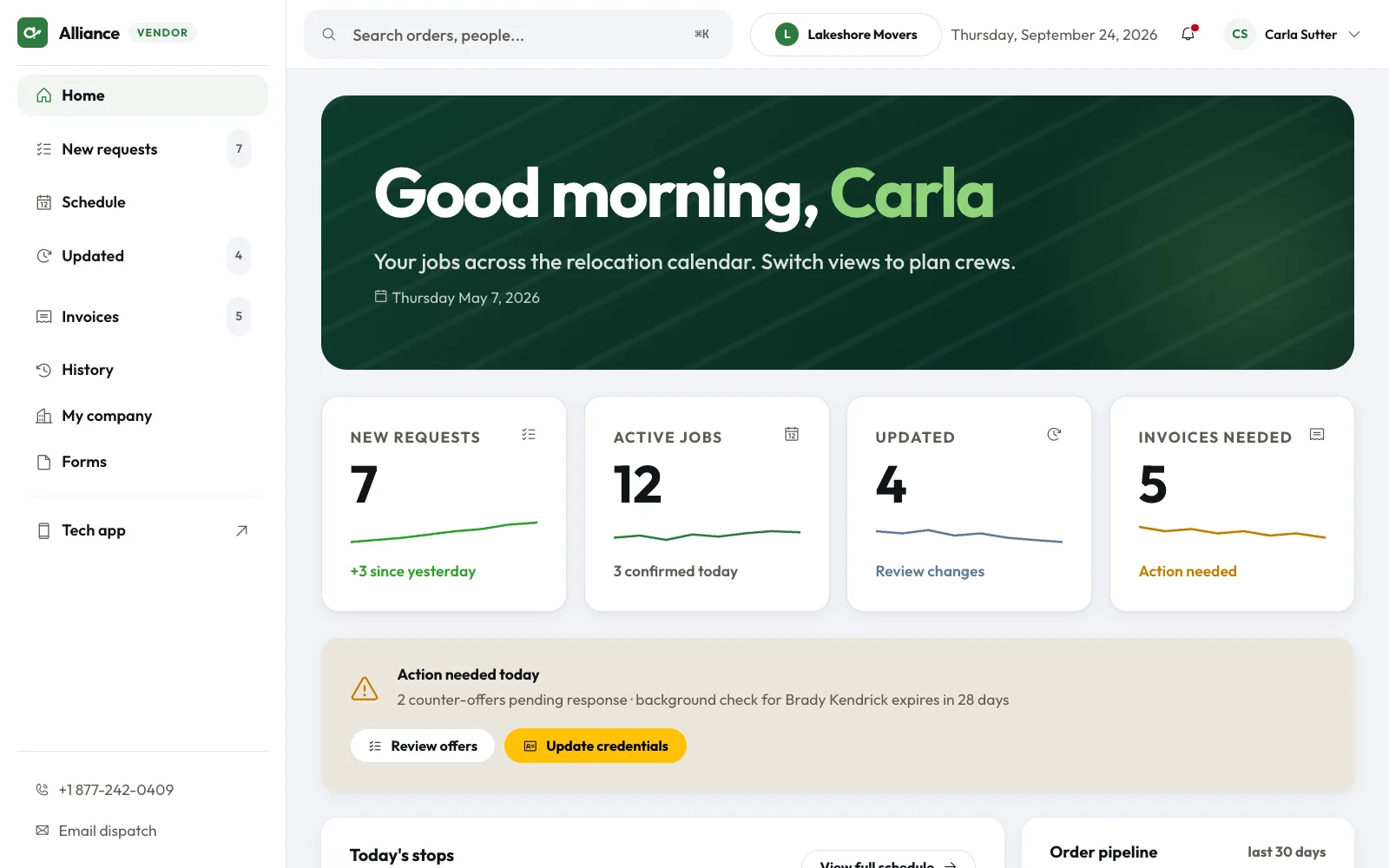
The vendor portal tracks every moving vendor job with Alliance, from the first request to the final invoice.
- New job requests
Each order lists the service date, time window, customer, address, and the PO.
- Counter any rate
Think a price is too low? Send your own price with a note before you accept.
- See what changed
If a service is added or a date moves after you accept, we flag your order.
Manage the job, route and signature in one app.
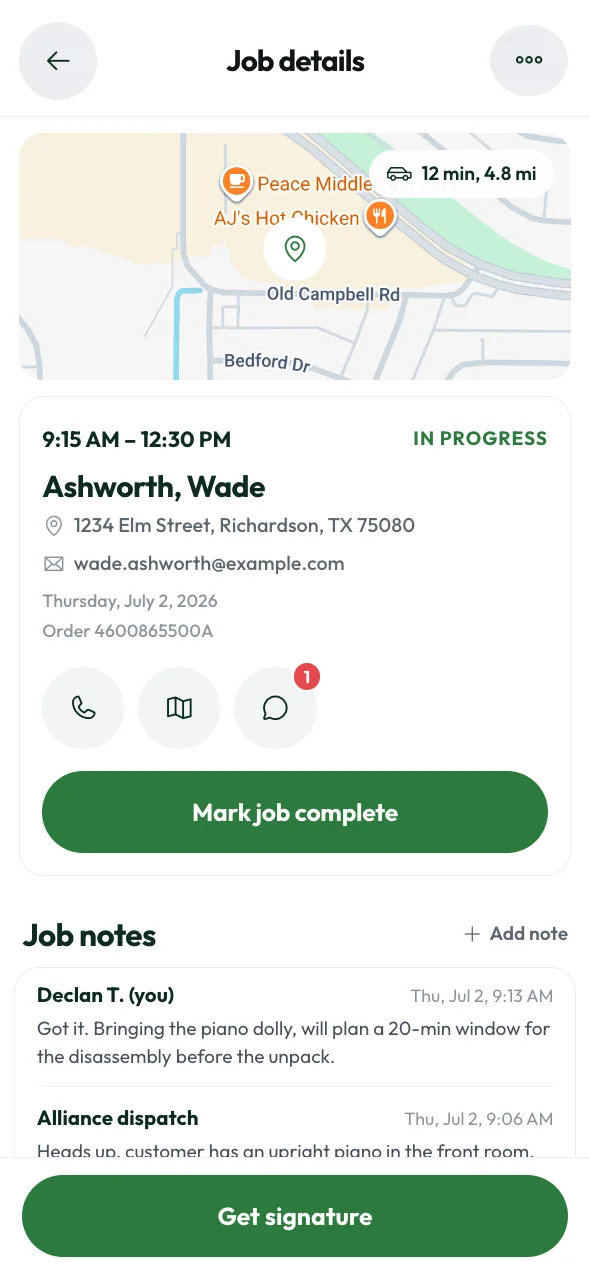
Technicians open the app to see today's moving technician jobs, get directions and message dispatch. The customer signs on screen when the job is done.
- Works without signal
Techs mark services done, add notes and collect signatures with no signal. The app syncs later.
- Photos attach automatically
Techs take before, after and damage photos in the app. Each photo attaches to the order.
- Text reminders
Techs get a text the day before each job and can confirm or update arrival time by reply.
Vendor questions answered
Questions? Call dispatch at (877) 242-0409.
Joining Alliance
Can I apply alone?
Yes, independent techs can apply alone. Pick Vendor Company (Technician) to work jobs, or Moving Company (Customer) to book Alliance as a mover.
What does the form ask for?
The form asks for your name, company name, email, mobile phone, city, state or province, service area, services you offer, crew size, insurance status, how you heard about Alliance, and consent to a background check.
Do I need insurance?
Yes. Vendors keep proof of insurance on file with Alliance. The portal shows your policy and its expiration date so you know when to renew.
Need a background check?
Yes, for every moving technician job. Each vendor and technician sends proof of insurance and passes a background check before the first job. Alliance tracks a performance score and works only with top-rated vendors.
Taking jobs
Where does Alliance work?
Moving vendor jobs, including crating jobs, come from across the United States and Canada. List the cities or ZIP codes you cover when you apply, and our vendor team will share expected job volume near you.
How do I get job requests?
Vendor job requests for your service area land in one list in the vendor portal. Each request shows the order number, service date, time window, customer, address and purchase order. Your company also gets a text or email when Alliance sends a new order.
Do I take every job?
No. You accept or decline each order. A decline needs a short reason so dispatch can send it elsewhere.
Can I counter the rate?
Yes. Every service lists its rate before you accept. You can take the price or send a counter-offer with a note to dispatch.
What if an order changes?
The order appears under Updated in the vendor portal when a service is added, removed or moved to a new date, and the change is marked there.
During and after
Does the app work offline?
Yes. Techs can mark services done, add notes and collect signatures with no signal. The app syncs when back online.
What reminders do I get?
You get a reminder if a job isn't confirmed 72 hours before service, an arrival-time reminder the day before each job, and a nudge when a finished job still needs an invoice.
How does invoicing work?
After the customer signs off, the job shows under Invoices needed in the vendor portal. Upload your invoice there, and the list flags any job still missing a signature.
Ready for your first vendor job?
Fill out the form in about five minutes. Choose Vendor Company (Technician) to apply for moving vendor jobs, or Moving Company (Customer) to open a customer account. Our team reviews every submission and calls you about next steps.