See what changed since you last looked
When an origin or destination service is added, removed or moved to a new date, the order shows under Updated with the change marked.

 20,000+ families every year
Vendor portal and tech app
Your office works in the vendor portal. Your techs work in the moving technician app. Both read the same orders, so everyone sees the same job.
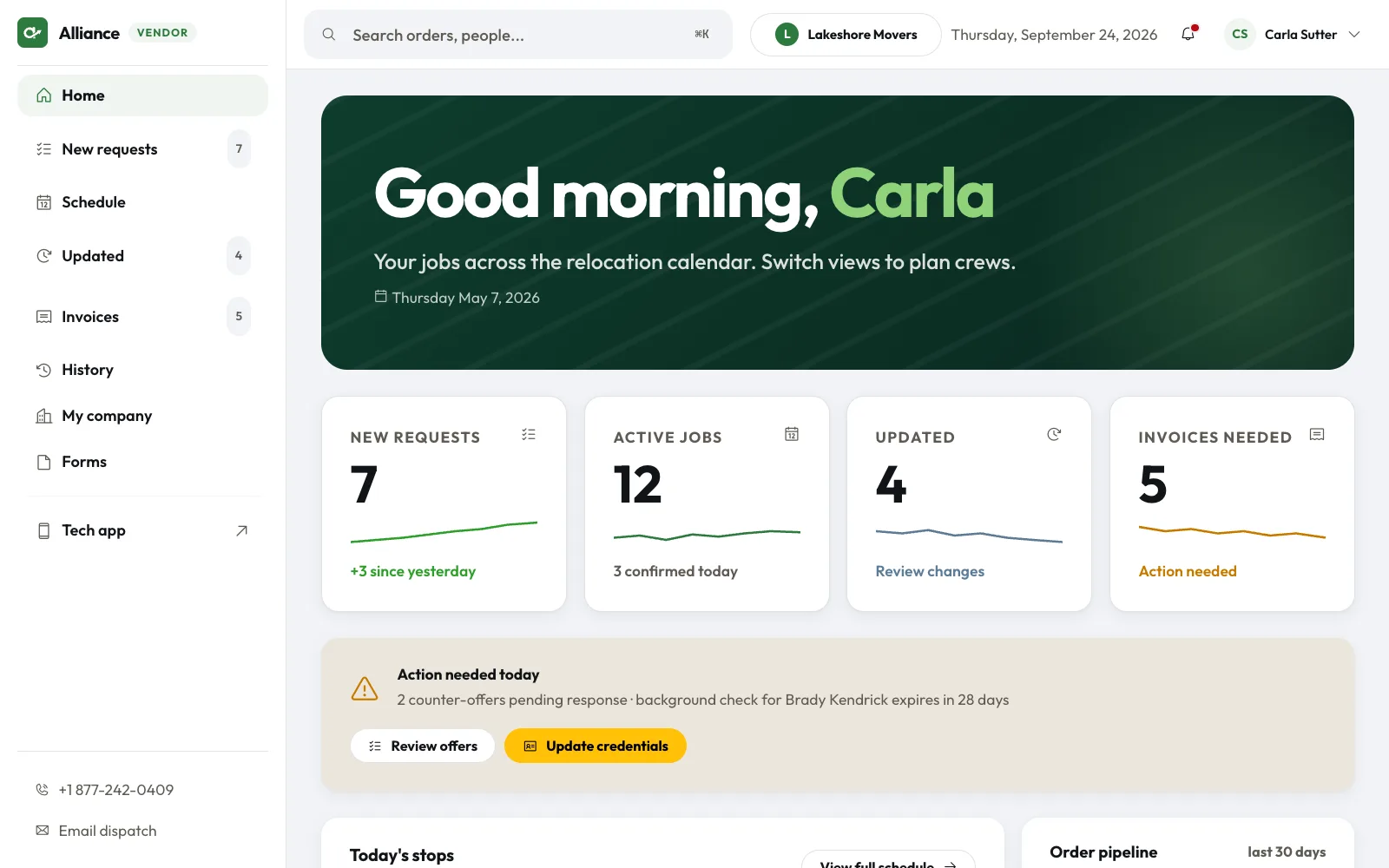
Office staff and admins use the portal to take work, plan the week and close out finished jobs.
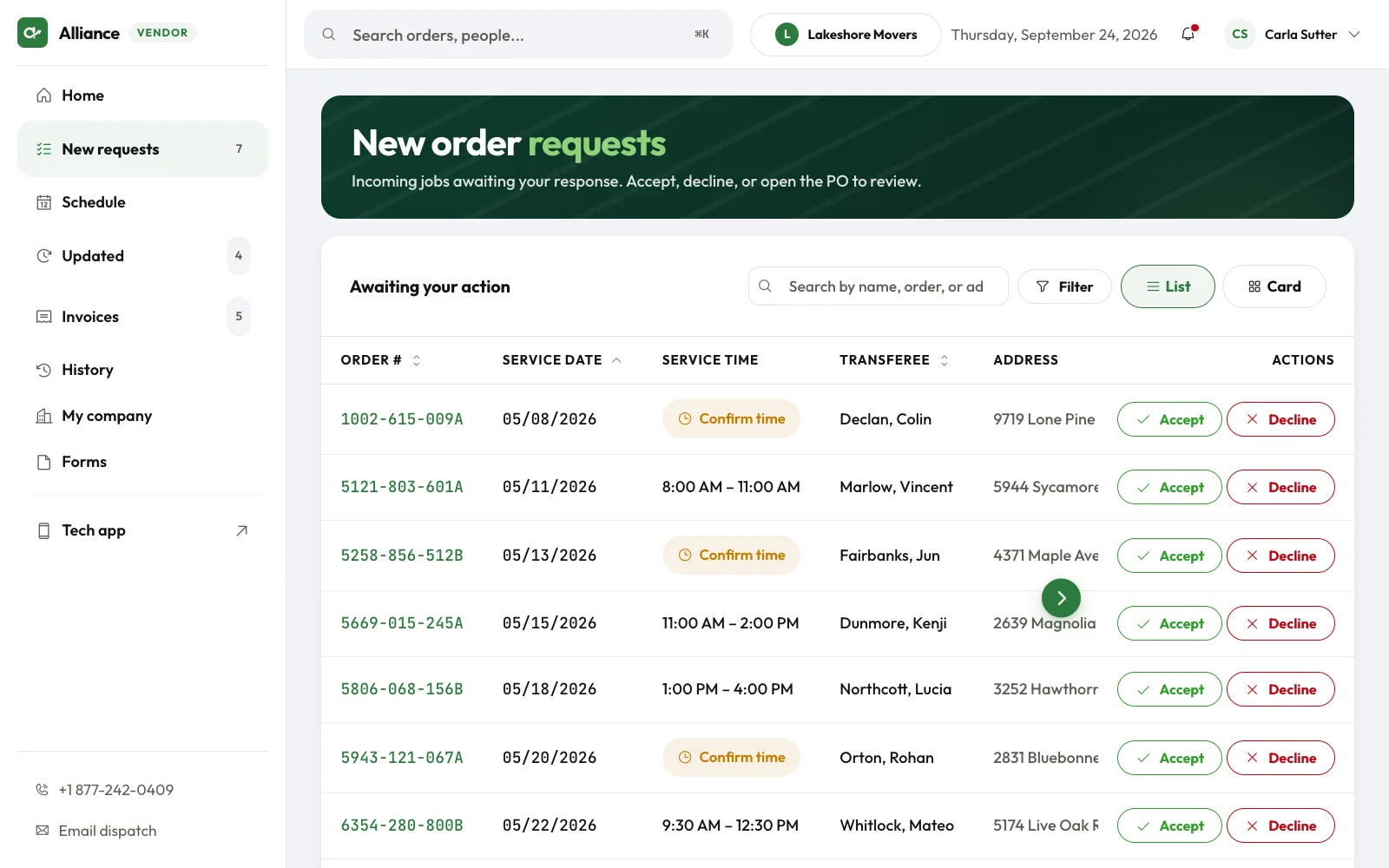
Each request shows the order number, service date, time window, customer, address and purchase order. Accept or decline from the row.
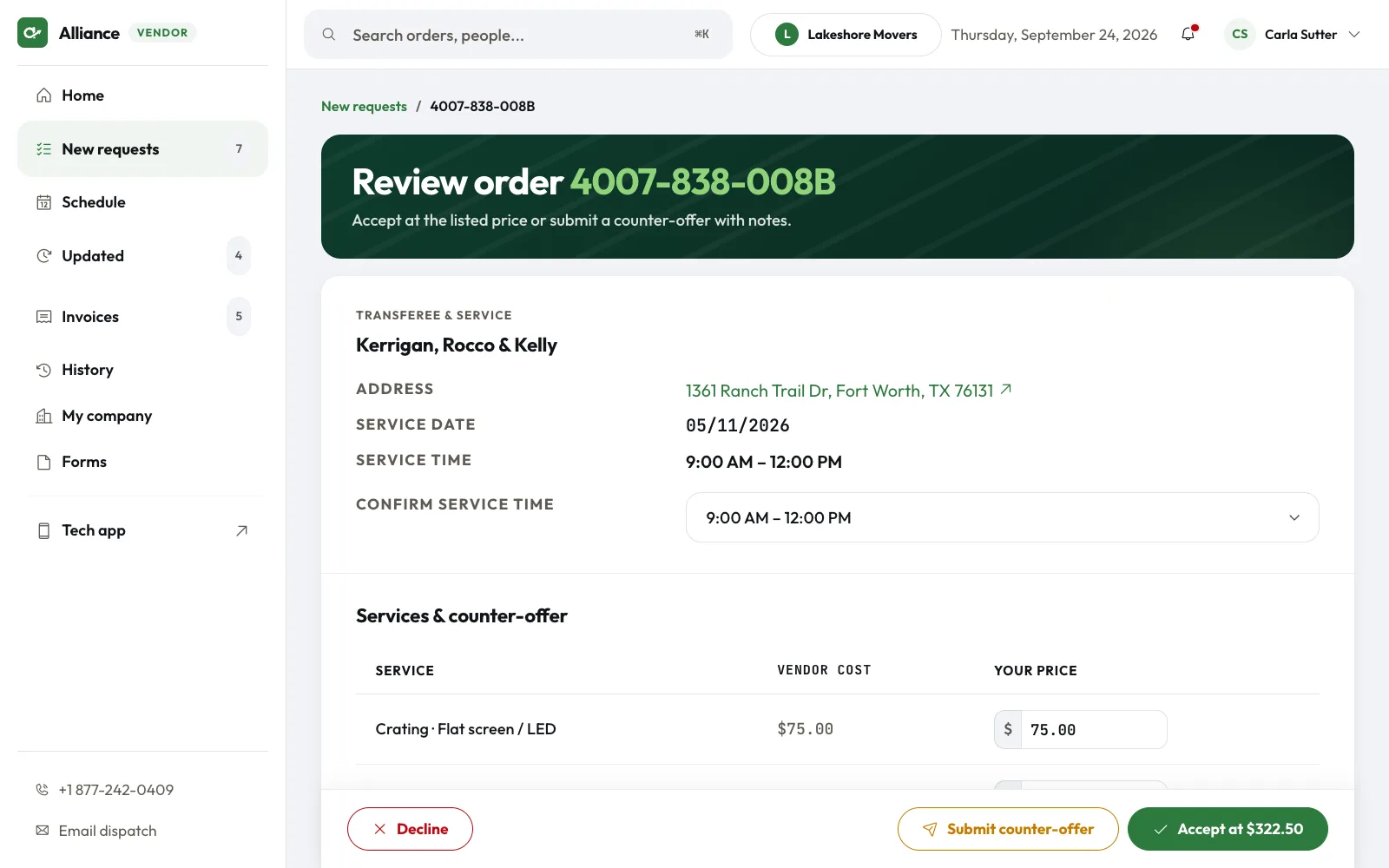
Review the vendor rate for every origin and destination service on the order. Take the listed price or send your own with a note to dispatch.
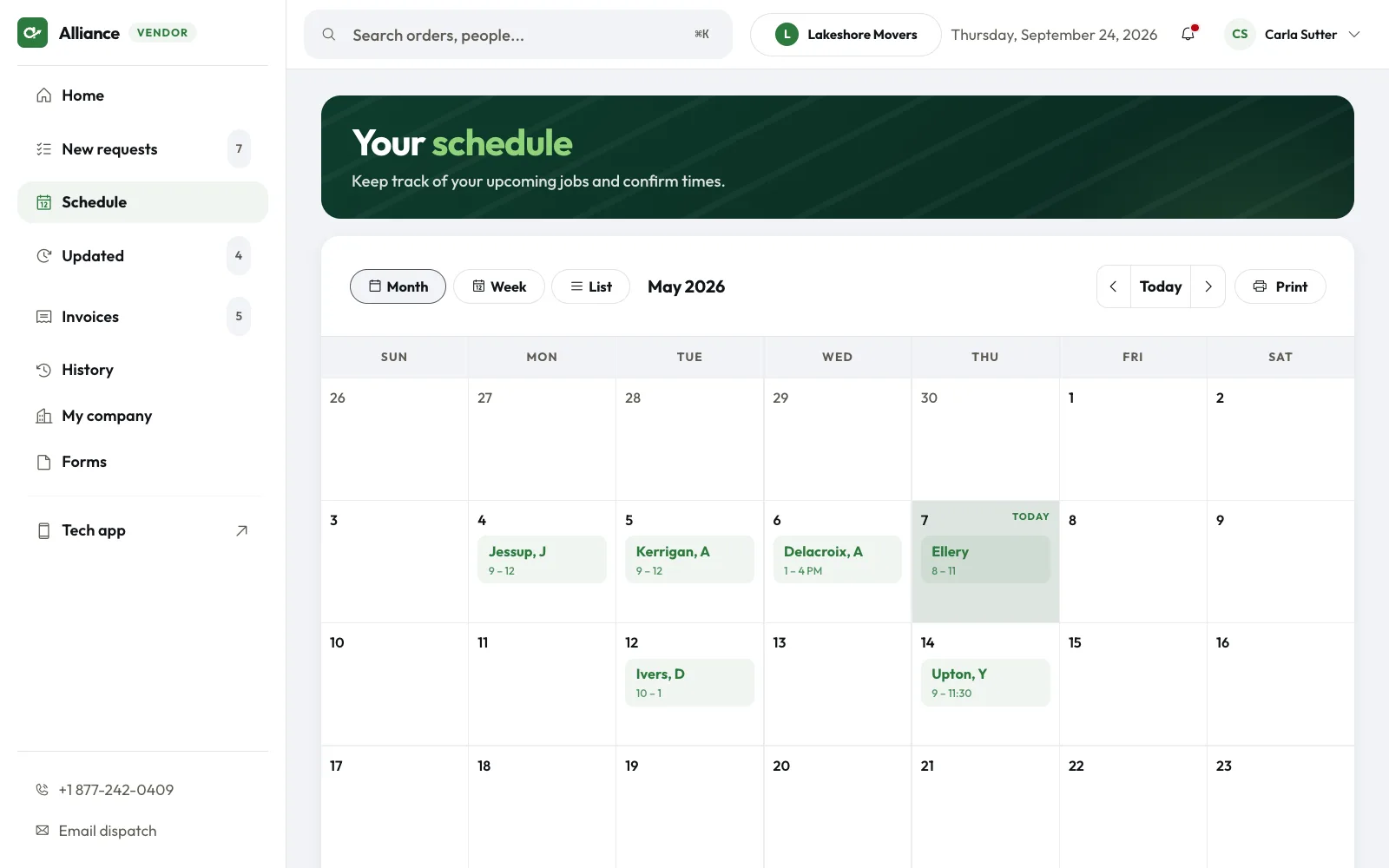
Accepted jobs sit on a calendar by date. Orders that still need a confirmed time show in red.
When an origin or destination service is added, removed or moved to a new date, the order shows under Updated with the change marked.
Finished jobs that still need an invoice or a signature copy show with an upload button on each row.
Keep your insurance and company details current. Add users and give each one a role: admin, office staff or tech.
Download condition reports, waivers and inspection forms for piano, clock and pool table jobs.
New dispatches and order updates show up as notifications. Tap one to open the job.
Built for the field, with the address one tap from directions.
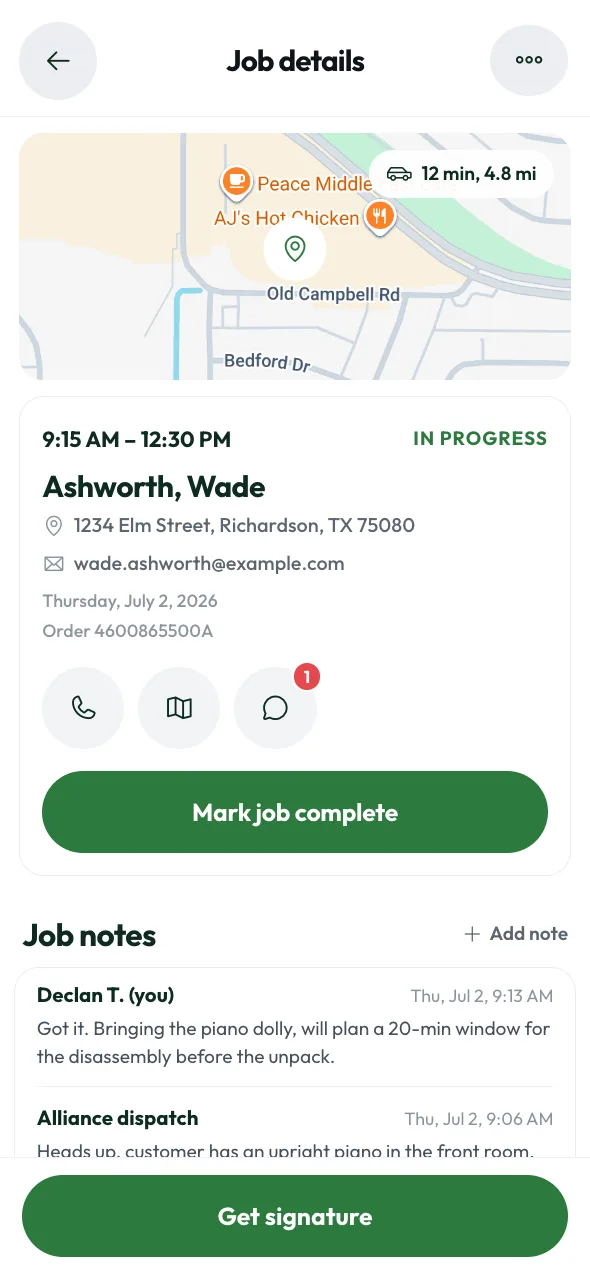
Open the app to today's schedule. Each job shows the customer, time window, address and order number.
Tap the address to open your maps app. Send an "on my way" update and the customer sees it.
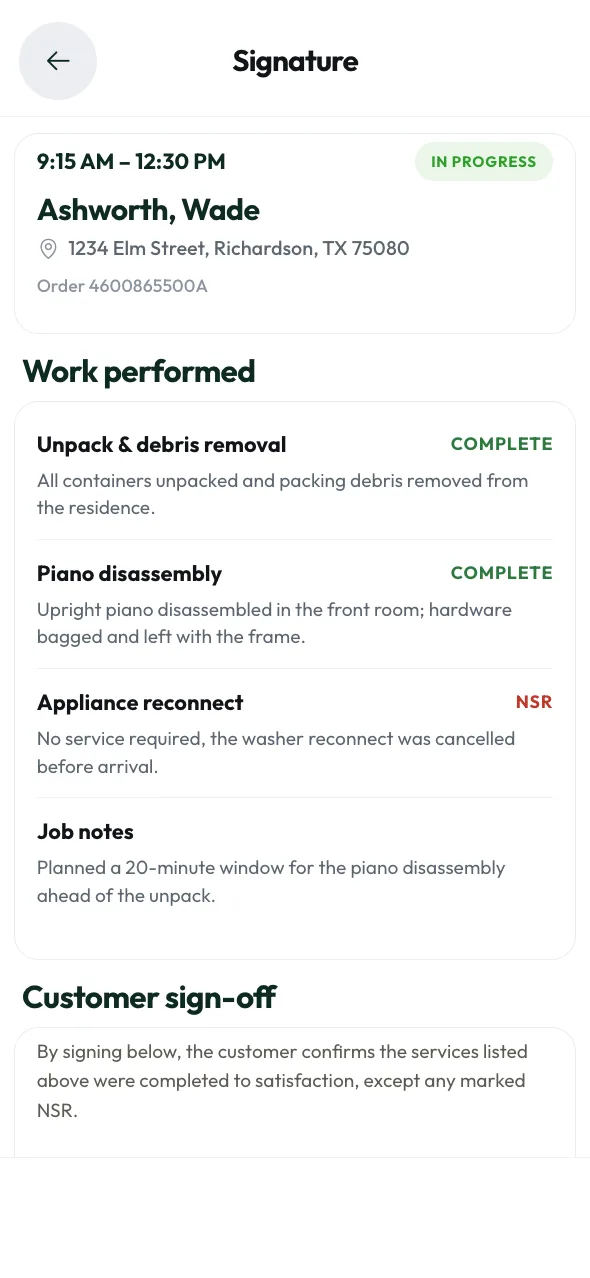
Mark each origin or destination service done, or note it wasn't needed. Request a change order when the scope grows.
Before, after and damage photos upload in the background while you work.
The customer signs on your phone. Submit it and the job closes in one step.
No signal in the basement? Keep working. It all syncs when the phone reconnects.
We send the reminders so your office doesn't have to chase them.
On service day, the customer gets a text with the crew's arrival time and the services booked. Fewer "where are you?" calls for your techs.
Text Message
Today 8:52 AM
Your crew is on the way. Brady is your crew leader and will arrive around 9:15 AM.
9:20 AM
Update. Brady's arrival time is now 9:40 AM.
11:30 AM
We need to schedule a return visit for Thursday. Reply with a time that works for you.
2:45 PM
Your job is complete. Thanks for choosing us. Leave a review at alliancerelocation.com/review.
For anything else, call dispatch at (877) 242-0409.
Vendor portal
The Alliance vendor portal is the website where a vendor's office staff and admins take new orders, plan the week on a calendar and close out finished jobs. Find it at vendors.alliancerelocation.com.
Approved vendors and techs get accounts. Each user gets a role: admin, office staff or tech.
Yes. Condition reports, waivers and inspection forms for piano, clock and pool table jobs are in the portal.
Moving technician app
Yes. Techs can keep working with no signal. Everything syncs once the phone reconnects.
The customer signs on the tech's phone. Submitting the signature closes the job in one step.
Apply to join Alliance. It takes about five minutes. Approved vendors and techs get accounts for both the portal and the app.
Approved vendors and techs get accounts for both. Apply in about five minutes.