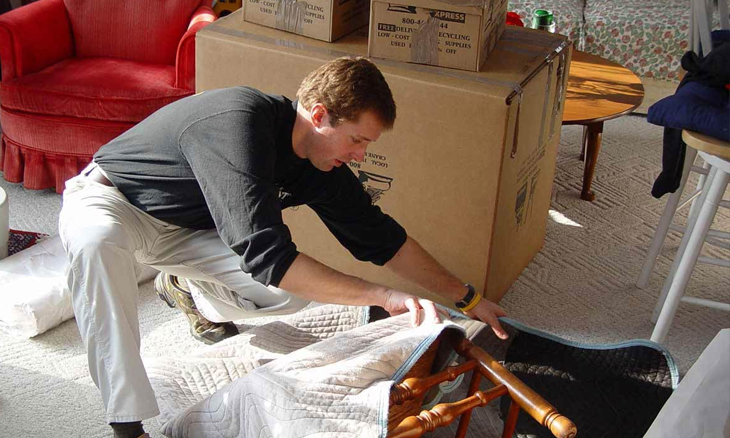

Moving a home office means protecting computers, monitors and networking gear while keeping your workflow intact. The process calls for a full equipment inventory, data backups, labeled cables and careful furniture disassembly. Working with a specialist like Alliance Relocation Services for disconnection, crating and reassembly helps equipment arrive ready to use, without setup delays at your new address.
1. What should a home office inventory include?
A home office move starts with a complete equipment inventory. List the following items before you unplug anything:
- Computers and monitors
- Printers, scanners and fax machines
- Docking stations, hubs and charging equipment
- Modems and routers
- Cables, surge protectors and backup batteries
- Office furniture, task chairs and lighting
- File cabinets and sensitive documents
- External hard drives and data storage devices
This inventory works as your relocation checklist. It also helps you spot what needs professional disassembly, what to upgrade and what to recycle or donate.
2. How many times should you back up your data?
Back up your files twice before packing a computer or smart device. Use a cloud service such as Google Drive, Dropbox or iCloud, plus an external hard drive or USB drive for a second copy.
This gives you redundant copies of important files, which matters if you work with sensitive client data or proprietary software.
If you work for a company, follow its data protection protocol. If you’re self-employed or run a small business, consider an encrypted backup service for added protection.
3. Why hire a specialist for tech disconnection and reconnection?
Alliance Relocation Services focuses on the specialty tasks that standard movers often skip. These include tech disconnection and reconnection, furniture disassembly and reassembly, and wall-mounted monitor removal.
Hiring a specialist means:
- Cables get labeled and packed with the right components
- Monitors get crated or padded to prevent screen damage
- Equipment gets handled to avoid static or impact damage
- Heavy or delicate furniture gets disassembled with care
At your new address, Alliance Relocation Services reconnects and tests your system, so you get back to work faster.
4. Why label cables and take photos before disconnecting?
Labeling cables and taking photos first saves time when reconnecting. Mismatched cords and mystery plugs cause plenty of frustration during setup.
Before unplugging anything:
- Take clear photos of the back of your desktop, modem and router setup, and any AV gear.
- Use color-coded cable labels or masking tape with a marker to match cords to devices.
- Bundle cords with Velcro straps and place them in labeled bags or boxes.
This simple step saves hours of frustration during reinstallation.
5. Should you use original packaging or custom crating for electronics?
Original packaging gives the best protection, if you still have it. Alliance Relocation Services provides custom crating when original boxes are gone.
If you kept the original packaging for your monitor, computer tower or printer, use it now. These boxes include shock-absorbing foam that protects equipment during transport.
If the original boxes are gone, Alliance Relocation Services can provide custom crating or foam-padded containers for sensitive electronics and fragile items. For more detail on protecting devices in transit, see Packing Electronics: Ensuring Safety and Security During Your Move.
6. How do you prep office furniture for a safe move?
Office furniture needs the same attention as your tech. Custom desks, ergonomic chairs and wall-mounted shelves require careful handling during a move.
Alliance Relocation Services handles disassembly and reassembly, so your furniture fits through doorways, stays intact and arrives undamaged.
If your desk has cable management features, a glass top or adjustable legs, those parts may need extra padding or labeling.
7. What should you set up before moving day at the new location?
Confirm these items are ready at your new home before the move:
- A scheduled internet installation date
- Accessible and sufficient power outlets
- Proper ventilation for tech equipment
- A clear signal path for Wi-Fi, or a plan to hardwire connections
If you rely on IT support or virtual assistance, tell your provider about the move. Plan a re-onboarding session to confirm everything works properly.
8. How do you plan your new office layout before moving day?
Measure the room and sketch a layout in advance. Decide:
- Where the desk will go, ideally near natural light
- Where outlets and surge protectors are most accessible
- What wall space is available for shelves or whiteboards
- Where you’ll place lighting and camera equipment for video calls
This mapped-out plan helps the Alliance Relocation Services team set up your furniture and tech efficiently. It also helps you avoid multiple reconfigurations after the move.
9. Should you upgrade your setup during a move?
A move offers a good moment to check your comfort. A wobbly office chair, a monitor below eye level or a keyboard set too high can affect your workday.
Consider a sit-stand desk, a better chair or an anti-fatigue mat during this transition. The Alliance Relocation Services team can help with setup, cable routing and ergonomic adjustments once the new space is ready.
10. Why hire a professional for your home office move?
You invested in your equipment, workflow and home office for a reason, so plan its move with care. Alliance Relocation Services works across the United States and Canada to help your move run efficiently, so you can get back to business faster.
For more setup guidance, read Relocating Your Home Office: Tips for Setting Up Without the Stress and Top Tips for a Stress-Free Office Relocation: A Comprehensive Guide.
When you’re ready, request a quote from Alliance Relocation Services to start planning your tech and furniture handling.
Frequently Asked Questions
Do movers disassemble office furniture?
Alliance Relocation Services disassembles and reassembles office furniture, including desks, chairs with moving parts and wall-mounted shelving.
How do you protect electronics during a home office move?
Use original packaging when you still have it, back up your data twice, and label all cables before disconnecting anything. Custom crating adds extra protection for sensitive or fragile items.
Who sets up internet and IT after a home office move?
Schedule your internet installation in advance and notify your IT provider or virtual assistant about the move. A re-onboarding session after the move confirms everything works at your new location.
What should you do with sensitive documents during a home office move?
File cabinets and sensitive documents belong on your inventory list. Back up any related digital files with redundant copies before packing your computer.